Open source · for Claude Code, Codex, Cursor and more
Read the video. Watch the part you need.
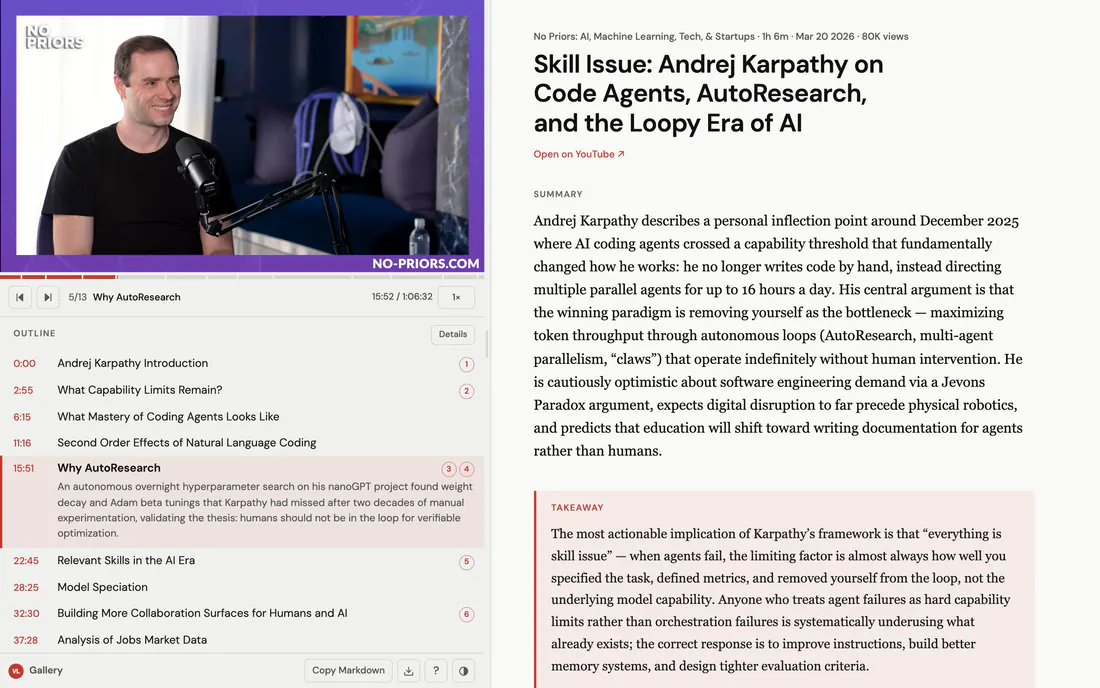
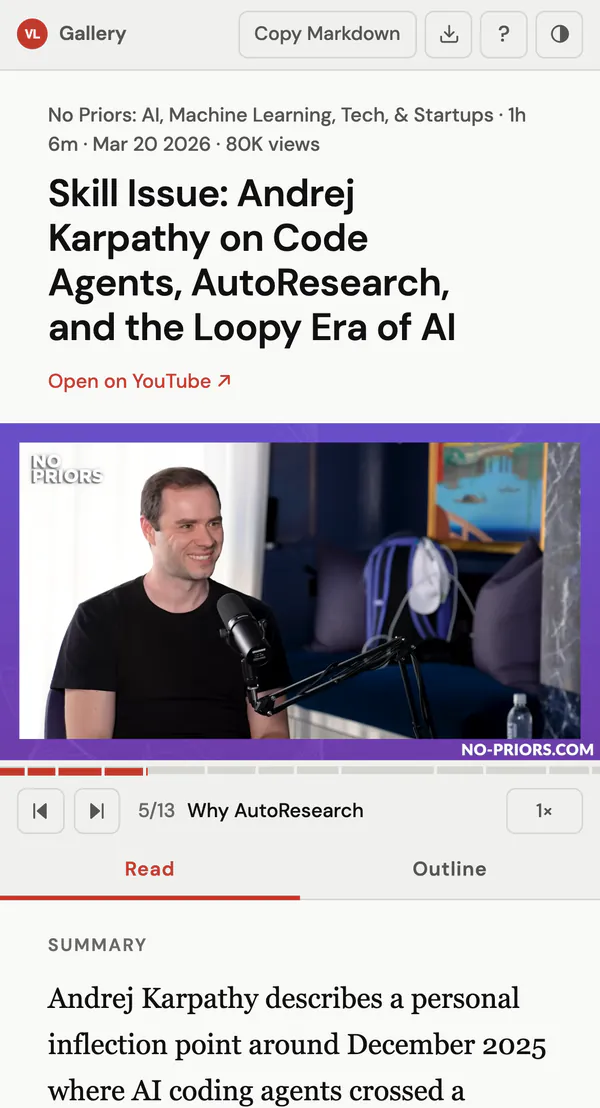
Paste a YouTube link into your agent. Get a summary and a timestamped outline beside the video, click any line to jump there, and send it as a link anyone can open.
npx skills add kar2phi/video-lens- 2.2K+installs
- 130GitHub stars
- 233reports shared
Example: a shared report
Made by video-lens from a 66-minute interview. Someone said “share” and sent this link.
How it works
From link to report in a minute
Install once
One command; pick all three when asked. The first video asks before installing what’s missing.
Paste a link
With the command or in your own words. Name a language or a part to focus on.
Read beside the video
The report opens in your browser and is saved as a file. Ask for changes and it’s rewritten in place.
Share
Say the word and you get a link anyone can open.
npx skills add kar2phi/video-lens
summarize https://youtu.be/kwSVtQ7dziU
The transcript library isn’t installed yet. Install it into video-lens’s own folder?
yes
✓ Installed. Fetching the transcript…
✓ Report open in your browser
tighten the takeaway
✓ Rewritten in place.
share
✓ https://video-lens.org/s/p02ia3wYih990WIcW3jmmQ/
Features
Four things to ask for
video-lens · what you can sayType it, or say it your way
A report
Summary, key points and the outline beside the video.
- /video-lens <url>
- the command
- summarize this video
- or just ask
- … in German
- any language
- … focus on pricing
- one part only
A link to send
Unlisted, with the same player beside the text.
- share
- get the link
- unshare
- take it down
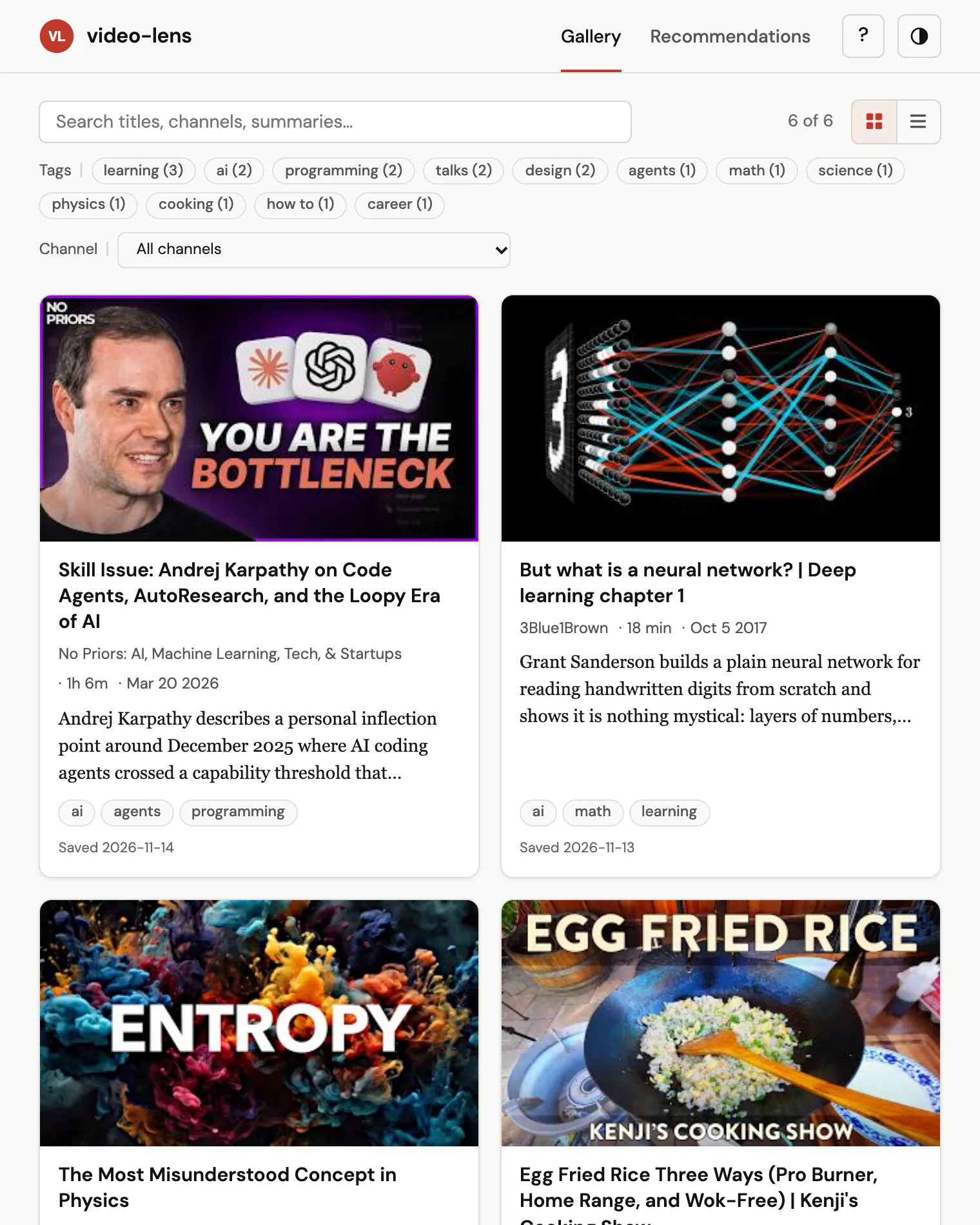
Your library
Every report you made, with thumbnails, summaries and tags, searchable.
- /video-lens-gallery
- the command
- show my gallery
- or just ask
What to watch next
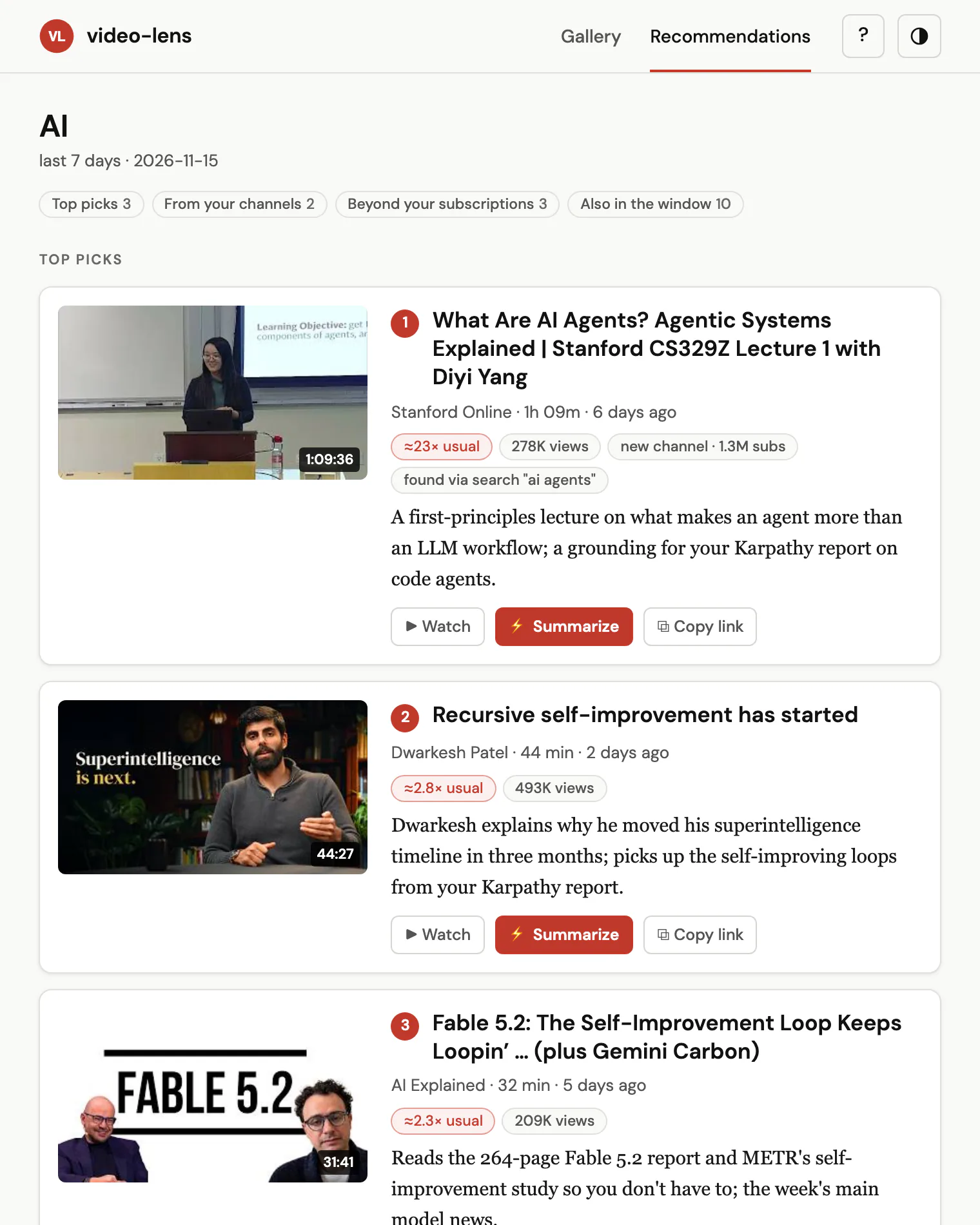
New videos on a topic, from your subscriptions and beyond, ranked with a reason each. It skips what you’ve watched.
- /video-lens-recs <topic>
- the command
- anything good on Rust lately?
- or just ask
One-time setup: import your subscriptions (about 5 min) or connect your browser.
Reports come in the video’s language, use its chapters and export to Markdown.
Privacy, in short
Your reports stay on your machine until you say “share”
On your machine
- Reports are plain HTML files in
~/Downloads/video-lens/reports/. No account, no cloud. - Captions come from YouTube; the report is written by the model your agent already uses.
- Nothing is uploaded unless you ask, and video-lens asks before your first share.
When you share
- The link is unlisted, not private: there is no index of shared pages.
- Only the report goes up. Never the transcript or the video description.
- “unshare” deletes it. The key that can delete it stays on your machine.
This site sets no cookies. It counts visits with Cloudflare Web Analytics, which needs none. Read the full privacy policy
Questions
Why not just ask a chatbot?
They can summarize a video too, as an answer in a chat. video-lens makes a report that sits beside the playing video, with every line one click from its moment. It stays a file on your disk, in a gallery you can search; it is written by the model your agent already runs; and “share” turns it into a link.
What runs where?
video-lens is instructions and a few Python scripts your agent runs. It fetches the captions, your agent’s model writes the report, and the scripts render it into a page on your machine.
What does it cost?
video-lens is free and MIT licensed, with no account or subscription of its own. The report is written by the model your agent runs, local models included, so it costs what a prompt of that length costs you there. A one-hour talk is a long prompt.
Which videos work?
Public YouTube videos with captions in any language, including auto-generated ones. YouTube Shorts are not supported.
What if a video has no captions?
On Apple Silicon, video-lens can transcribe the audio on your machine with Whisper. It asks first, and the report is the same.
Do I need a server or an account?
No. video-lens starts a small local web server to show the report and saves it as a file. Sharing is the only part that uses video-lens.org, and only when you ask for it.
Can I trust the summary?
It is written by a language model from the captions, so treat it like notes from a fast colleague: every key point and section has its time, one click away from what was actually said.
Try it on the next video you were about to watch
npx skills add kar2phi/video-lensStar it on GitHubRead the guideWhat’s newReport a bug or ask for a feature